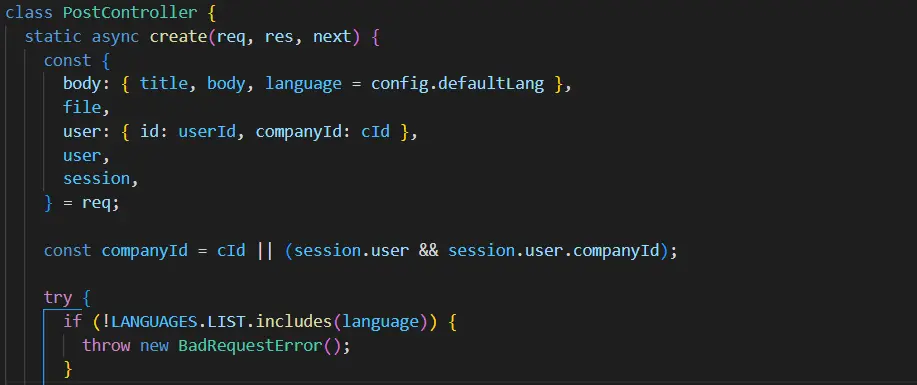
Node.js is known as a JavaScript-based platform for back-end development
Discover MoreNode.js is a powerful, open-source, cross-platform runtime environment that allows developers to build scalable and high-performance server-side applications using JavaScript. Released in 2009 by Ryan Dahl, Node.js has revolutionized backend development by enabling JavaScript to run outside the browser. It is built on Chrome’s V8 JavaScript engine and uses an event-driven, non-blocking I/O model, making it lightweight and efficient. In this article, we’ll explore Node.js’s key features, architecture, use cases, and why it has become a popular choice for modern web development.

What is Node.js?
Node.js is a runtime environment that allows developers to execute JavaScript code on the server side. Unlike traditional server-side languages like PHP or Java, Node.js uses an event-driven, non-blocking I/O model, which makes it highly efficient for handling concurrent requests. It is particularly well-suited for building real-time applications, APIs, and microservices.
Key Features of Node.js

Non-Blocking I/O: Node.js uses an asynchronous, event-driven architecture, allowing it to handle multiple requests simultaneously without blocking the execution of other tasks.
Single-Threaded Event Loop: Node.js operates on a single-threaded event loop, making it lightweight and efficient for I/O-intensive tasks.
Cross-Platform: Node.js runs on Windows, macOS, and Linux, making it a versatile choice for developers.
NPM (Node Package Manager): Node.js comes with NPM, the largest ecosystem of open-source libraries and tools, which simplifies development.
Fast Execution: Built on Chrome’s V8 engine, Node.js compiles JavaScript into machine code, ensuring high performance.
Scalability: Node.js is designed to scale horizontally and vertically, making it suitable for applications of all sizes.
Community Support: Node.js has a large and active community, providing extensive documentation, tutorials, and third-party modules.
How Node.js Works
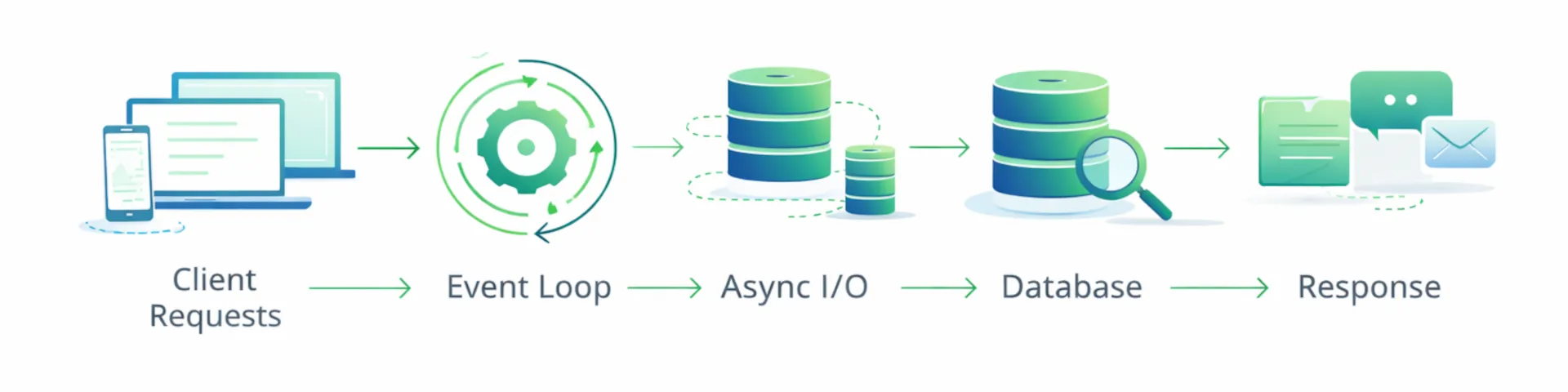
Node.js uses an event-driven architecture to handle asynchronous operations. Here’s a breakdown of its core components:
Event Loop: The event loop is the heart of Node.js. It continuously checks for events (e.g., incoming requests) and executes the associated callback functions.
Callbacks: Functions that are executed after an asynchronous operation completes.
Event Emitters: Objects that emit events and allow developers to define event handlers.
Modules: Node.js uses a modular architecture, allowing developers to organize code into reusable components.
Node.js Architecture
Single-Threaded Event Loop:
Node.js operates on a single thread, but it uses an event loop to handle multiple requests concurrently.
This makes it highly efficient for I/O-bound tasks like reading files or querying databases.
Non-Blocking I/O:
Node.js uses asynchronous operations to avoid blocking the execution of other tasks.
Example:

Libuv:
A library that provides the event loop and handles asynchronous I/O operations.
It supports multiple platforms and provides features like file system operations and networking.
Advantages of Node.js
High Performance: Node.js is optimized for speed and efficiency, making it ideal for real-time applications.
Scalability: Node.js can handle a large number of concurrent connections, making it suitable for scalable applications.
Unified Language: Developers can use JavaScript for both front-end and back-end development, reducing the need to switch between languages.
Rich Ecosystem: NPM provides access to thousands of libraries and tools, simplifying development.
Community Support: Node.js has a large and active community, providing extensive resources and support.
Common Use Cases for Node.js
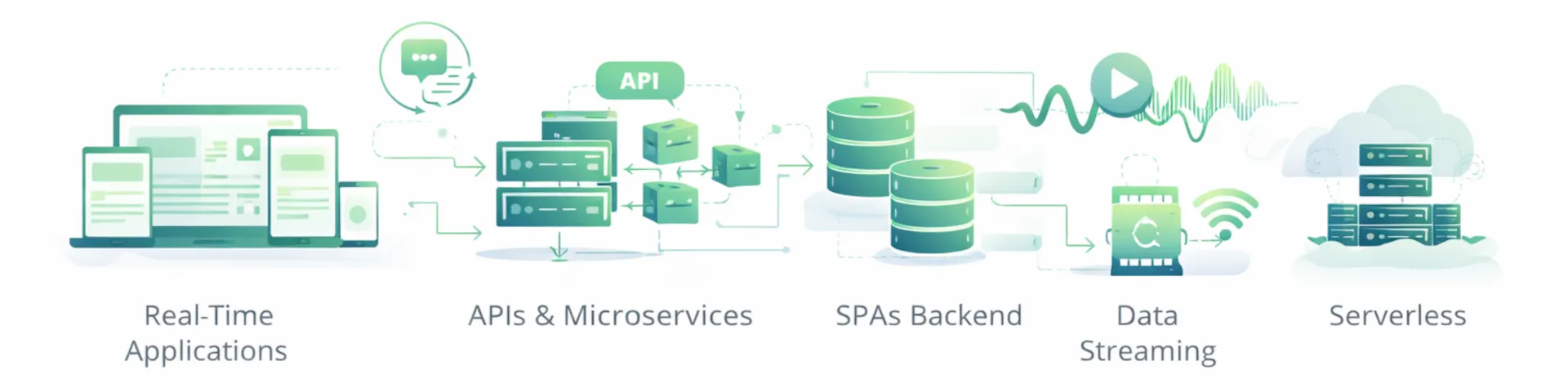
Real-Time Applications:
Node.js is ideal for building real-time applications like chat apps, gaming servers, and live streaming platforms.
Example: Socket.IO is a popular library for real-time communication.
APIs and Microservices:
Node.js is widely used for building RESTful APIs and microservices due to its lightweight and scalable nature.
Example: Express.js is a popular framework for building APIs.
Single-Page Applications (SPAs):
Node.js is often used as the backend for SPAs built with frameworks like React, Angular, or Vue.js.
Data Streaming:
Node.js is well-suited for handling data streams, such as video or audio streaming.
Example: Netflix uses Node.js for its streaming services.
IoT (Internet of Things):
Node.js is used in IoT applications due to its lightweight and event-driven architecture.
Serverless Applications:
Node.js is a popular choice for building serverless functions using platforms like AWS Lambda.
Organiztions building APIs, real-time systems, or microservices with Node.js often benefit from experienced implementation support. Contact us to plan next steps.
Getting Started with Node.js
To start using Node.js, follow these steps:
Install Node.js:
Download and install Node.js from the official Node.js website.
Create a Project:
Initialize a new Node.js project using NPM.

Write Your First Script:
Create a file named app.js and add the following code:

Run the Script:
Use the Node.js runtime to execute the script.

Install Packages:
Use NPM to install third-party packages.

Popular Node.js Frameworks and Libraries
Express.js:
A minimal and flexible web application framework for building APIs and web applications.
Socket.IO:
A library for real-time, bidirectional communication between clients and servers.
NestJS:
A progressive framework for building scalable and efficient server-side applications.
Koa.js:
A lightweight and modern framework designed by the creators of Express.js.
Meteor:
A full-stack framework for building web and mobile applications.
Conclusion
Node.js is a powerful and versatile runtime environment that has transformed the way developers build server-side applications. Its event-driven, non-blocking architecture makes it highly efficient for handling concurrent requests, while its rich ecosystem and community support simplify development. Whether you’re building real-time applications, APIs, or microservices, Node.js provides the tools and flexibility you need to succeed.
By leveraging Node.js, developers can create scalable, high-performance applications that meet the demands of today’s digital world.
If you're evaluating Node.js for a new backend or API project, contact our team to discuss architecture, scalability, and delivery options.
Complete Guide to Node JS: Runtime Environment for Server-Side JavaScript Development
Introduction
Node.js is a javascript runtime environment that executes javascript code outside the browser, enabling developers to build server-side applications using the same language they use for front end development. Node.js files typically have the .js extension and run on the server. This cross platform, open source runtime has transformed how software development companies approach full-stack development by unifying client and server code under a single language. Node.js is the standard for building RESTful APIs and independent microservices that communicate via JSON. It is also one of the fastest technologies for MVP delivery, making it ideal for greenfield projects. Node.js is cost-effective due to a wide range of free tools available for developers, including NPM (Node Package Manager), which is the world's largest ecosystem of open-source libraries and tools and is essential for Node.js development. Node.js is optimized for cloud environments and serverless platforms, reducing cloud hosting costs with its quick execution and low memory footprint. In 2026, Node.js remains a leading choice for server-side development, especially for high-concurrency and real-time applications.
This guide is created by a software development company with deep expertise in Node.js, offering comprehensive solutions and best practices for building robust applications.
This guide covers Node.js fundamentals, its event driven architecture, practical development workflows, and solutions to common challenges. The target audience includes developers ranging from beginners exploring their first js project to intermediate programmers seeking deeper understanding of the runtime’s capabilities. Whether you’re building web servers, real time applications, or command-line tools, this content focuses on practical knowledge that translates directly to production code.
Direct answer: Node.js is an open source, cross platform javascript runtime built on Chrome’s V8 engine that enables server side javascript execution, making it ideal for scalable web applications, APIs, and real time communication systems.

By the end of this guide, you will:
- Understand how the javascript runtime environment processes code on the server
- Learn how the event loop and non blocking I/O enable high performance
- Know how to set up your development environment and choose appropriate frameworks
- Be equipped to solve common js development challenges with proven solutions
- Have clear next steps for building your first js applications
History and Development of Node.js
Node.js began its journey in 2009 when Ryan Dahl set out to create a platform that could run JavaScript code outside the browser, opening up new possibilities for server-side development. The project’s initial release supported only Linux and Mac OS X, but it quickly gained traction among developers seeking a lightweight, event-driven alternative to traditional server technologies. By combining Google’s V8 JavaScript engine with an event loop and a low-level I/O API, Node.js enabled developers to run JavaScript code on the server, breaking free from the browser’s limitations.
A major milestone in the project’s evolution was the introduction of npm, the official package manager for Node.js. This tool revolutionized how developers shared and reused code, making it easy to integrate libraries and frameworks into any project. The first major version of Node.js was released in 2010, and since then, the platform has seen rapid growth, with regular major version releases introducing new features, performance improvements, and expanded support for different operating systems.
Governance of the project evolved as well, with the Node.js Foundation overseeing development before merging with the JS Foundation to form the OpenJS Foundation. This collaborative approach has ensured that Node.js remains an open, community-driven project, with a technical steering committee guiding its direction. Today, Node.js stands as a cornerstone of modern software development, empowering developers to run JavaScript code on the server, build robust web servers, and leverage a vast ecosystem of libraries and frameworks for every kind of application.
History and Development of Node.js
Node.js began as an innovative project by Ryan Dahl in 2009, designed to empower developers to run JavaScript code outside the browser for the first time. By combining Google’s V8 JavaScript engine with a custom event loop and a low-level I/O API, Node.js introduced a new paradigm for server-side development. The initial release supported only Linux and Mac OS X, but its cross-platform ambitions quickly became clear as the project evolved.
A major milestone in Node.js’s journey was the introduction of npm, its dedicated package manager. npm revolutionized how developers shared and integrated libraries, making it easy to add new features and frameworks to any project. This ecosystem of reusable code accelerated the growth of Node.js and enabled rapid development of robust applications.
Node.js’s governance also evolved over time. Originally managed by the Node.js Foundation, the project later merged with the JS Foundation to form the OpenJS Foundation, ensuring broad community support and transparent development processes. Each major version of Node.js has brought new features, performance improvements, and expanded compatibility, reflecting the needs of a growing developer community.
Today, Node.js stands as a mature, production-ready platform that allows developers to run JavaScript code on servers, build scalable web servers, and leverage a vast array of libraries and frameworks. Its event loop and non-blocking architecture remain at the core of its appeal, making it a top choice for modern software development projects.
Benefits of Using Node.js
Node.js delivers cutting-edge benefits that position your organization at the forefront of modern web development, enabling you to build robust servers and applications that drive real business results. Its event-driven and non-blocking architecture allows you to efficiently tackle I/O-heavy workloads, supporting thousands of simultaneous connections while minimizing resource consumption and operational costs. This makes Node.js your strategic advantage for developing real-time communication platforms, live data feeds, and collaborative tools where you need low latency performance and scalability to stay competitive in today's demanding market landscape.
One of your most significant competitive advantages lies in Node.js's ability to unify your entire development stack through JavaScript. You can streamline your workflows and accelerate time-to-market by having your team write both client-side and server-side code in the same language, reducing training costs and learning curves for new team members. This unified approach enables you to foster better collaboration within your development teams while delivering faster, more efficient project outcomes that align with your business goals.
The npm package manager transforms your development productivity by providing access to a vast ecosystem of tailored solutions, libraries, and cutting-edge tools that address real-world challenges. You can rapidly integrate new features, automate complex tasks, and solve common development obstacles without reinventing the wheel, allowing you to focus resources on your core business objectives. For your organization, this means significantly faster time-to-market and the strategic ability to leverage community-driven solutions for everything from authentication systems to advanced data processing capabilities.
In summary, Node.js empowers you and your organization to harness the full potential of fast, scalable, and efficient web applications and servers, positioning your company as a leader in delivering robust, real-time solutions that drive competitive advantage and measurable business results.
Understanding Node.js Fundamentals
Node.js functions as a runtime environment that allows javascript code to run on any operating system—Windows, Linux, macOS, or Unix—without requiring a browser. Its core purpose is enabling developers to use JavaScript for server side programming, database interactions, file system operations, and networked applications.
Unlike browser-based JavaScript that interacts with the DOM and window objects, Node.js strips away browser-specific features and instead provides modules for file I/O, networking protocols (HTTP, DNS, TCP), and operating system interactions. This fundamental shift means the same developers building interactive front end experiences can now create the backend infrastructure powering those experiences.
JavaScript Runtime Environment
A runtime environment provides everything needed to execute code written in a specific language. For JavaScript, this traditionally meant the browser—Chrome, Firefox, or Safari each containing their own JavaScript engines. Node.js changed this paradigm by packaging Google’s V8 engine with a set of C++ libraries that interface directly with the operating system.
When you run javascript code through Node.js, the runtime handles memory management, provides access to system resources, and manages the execution context. This enables JavaScript to perform tasks previously limited to languages like Python, Ruby, or PHP—reading files, starting web servers, connecting to databases, and processing incoming requests from clients.
The connection to Node’s broader purpose is straightforward: by creating a runtime that executes javascript outside browsers, developers gained the ability to build entire applications—from database queries to API endpoints to rendered HTML—using a single language.
Chrome V8 JavaScript Engine
The V8 engine, originally developed for Chrome, compiles JavaScript directly to machine code using just-in-time (JIT) compilation rather than interpreting it line by line. This compilation approach delivers performance that rivals traditionally compiled languages, making js applications suitable for demanding production workloads.
V8 handles parsing JavaScript syntax, optimizing hot code paths, and managing garbage collection. Node.js leverages these capabilities while adding its own layer of functionality through libuv, a C library that provides the event loop and asynchronous I/O primitives. The combination of V8’s speed and libuv’s efficiency creates a runtime capable of handling thousands of simultaneous connections with minimal memory overhead.
Understanding the engine’s role explains why Node.js can compete with established server technologies: the same performance optimizations that make modern web browsers fast apply directly to server side code execution.
Node.js Architecture and Key Features
The architectural decisions that shaped Node.js—event driven programming, non blocking operations, and single-threaded execution—directly address limitations in traditional server models. Where conventional web servers spawn threads for each connection, Node.js processes all requests through a single event loop, dramatically reducing memory consumption and context-switching overhead.
Event-Driven Architecture
Event driven programming organizes code around events and their handlers rather than sequential execution. In Node.js, when something happens—a file finishes loading, a network request arrives, a timer expires—the runtime triggers a callback function registered for that event.
This model mirrors how JavaScript works in browsers, where click handlers and AJAX callbacks respond to user actions. The same mental model applies on the server: your code registers interest in events (like an HTTP request arriving), and Node.js invokes your handler when those events occur. This consistency between front end and backend JavaScript reduces cognitive load when building full-stack js applications.
const http = require('http');

const server = http.createServer((req, res) => {
  console.log('Request received');
  res.end('Hello World');
});

server.listen(3000);
Non-Blocking I/O Operations
Non blocking I/O means operations that typically wait—reading files, querying databases, making HTTP requests—don’t halt program execution. Instead, Node.js delegates these tasks to the operating system kernel and continues processing other code. When the I/O completes, a callback executes with the result.
Traditional blocking approaches force the server to wait during each I/O operation. If reading a file takes 100 milliseconds, the thread handling that request sits idle. With non blocking I/O, Node.js immediately moves to the next task, only returning to the file operation when data is ready. This difference becomes critical under load: a blocking server handling 1,000 concurrent file reads needs 1,000 threads, while Node.js handles the same workload with a single thread.
Single-Threaded Event Loop
The event loop is the mechanism that coordinates all asynchronous operations in Node.js. It continuously checks for pending callbacks, executes them in order, and returns to waiting for new events. This single-threaded model eliminates concurrency issues like deadlocks and race conditions that plague multi-threaded servers.
Each iteration of the event loop processes timers, pending callbacks, I/O polling, and cleanup operations in a defined sequence. Understanding this cycle helps developers write efficient code—operations that block the event loop (like CPU-intensive calculations) prevent all other requests from processing, explaining why Node.js excels at I/O-heavy workloads but requires different strategies for compute-heavy tasks.
The architectural benefits for server applications are substantial: lower memory per connection, simplified concurrency management, and performance characteristics ideally suited for real time applications, APIs, and microservices.
Node.js File and Module System
Node.js empowers developers to organize their server-side JavaScript code efficiently through its robust file and module system. Each file in a Node.js project typically uses the ‘.js’ extension and contains JavaScript code that executes on the server, enabling the creation of powerful web servers and backend logic. The modular architecture allows developers to break down complex applications into smaller, reusable components called modules.
Modules in Node.js are simply JavaScript files that can be imported into other files using the ‘require’ function. This approach promotes code reuse and maintainability, as developers can create dedicated modules for specific functionality—such as handling HTTP requests, managing database connections, or processing data. Node.js supports both CommonJS and ES6 module formats, giving teams flexibility in how they structure their code.
Built-in modules like ‘fs’ (for file system operations) and ‘http’ (for creating web servers) provide essential APIs that streamline development. For example, the ‘http’ module allows developers to create a basic web server with just a few lines of code, while the ‘fs’ module makes it easy to read from and write to files on the server. By leveraging these modules and the modular system, developers can build scalable, maintainable, and efficient server-side applications with ease.
Node.js Versions and LTS
Node.js follows a predictable release schedule, introducing a new major version every six months to deliver the latest features and improvements to the developer community. For organizations and projects that prioritize stability and long-term reliability, Node.js offers Long Term Support (LTS) versions. These LTS releases receive extended support, including security patches and critical bug fixes, making them the preferred choice for production environments and enterprise applications.
Node.js versions are categorized into three main types: Current, Active, and Maintenance. The Current version represents the latest major release, offering access to the newest features and updates. The Active version is the previous major version that continues to receive regular updates and support. The Maintenance version is an older release that only receives essential security and stability fixes. By choosing the recommended LTS version for your projects, you ensure that your applications benefit from ongoing support and compatibility, reducing the risk of unexpected issues and simplifying the upgrade process as new releases become available.
Node.js File and Module System
Node.js organizes server-side JavaScript code into files, typically with a ``` .js
 extension, allowing developers to structure their projects for clarity and reusability. The module system is a cornerstone of Node.js development, enabling you to break your application into manageable pieces and import functionality as needed.

Modules in Node.js are simply JavaScript files that export specific functions, objects, or values. You can include these modules in other files using the ```
require
function, which loads the module and gives you access to its exported code. Node.js supports both CommonJS modules (the traditional format using ``` require
 and ```
module.exports
) and ES6 modules (using ``` import
 and ```
export
syntax), giving developers flexibility in how they organize their projects.
For example, the built-in ``` fs
 module provides a powerful API for interacting with the file system, allowing you to read, write, and manage files directly from your server-side code. The ```
http
module is another essential tool, enabling developers to create web servers and handle HTTP requests and responses with just a few lines of code.
By leveraging the file and module system, Node.js developers can create modular, maintainable applications that scale easily as projects grow. This approach not only streamlines development but also encourages code reuse and collaboration across teams.
Node.js Versions and LTS
Building Applications with Node.js
Moving from architecture to practice, js development follows patterns familiar to JavaScript developers while introducing server-specific concepts. Node.js is the standard for building RESTful APIs and independent microservices that communicate via JSON. Node.js development services can include consulting, web development, migration, integration, and testing. The ecosystem includes npm as the default package manager, frameworks that simplify common tasks, and tools that support automated testing, debugging, and deployment.
Installation and Setup Process
Installing Node.js provides both the runtime and npm, giving immediate access to millions of libraries and modules.
- Download from official node website — Visit nodejs.org and choose between the lts release (recommended for production stability) or current release (latest features). The long term support version receives security updates for 30 months.
- Run the installer for your operating system — Windows and macOS provide graphical installers; Linux users can use package managers (apt, yum) or version managers like nvm.
- Verify installation with version commands — Run node --version and npm --version in your terminal to confirm both installed correctly. These commands display the major version numbers.
- Set up your development environment — Create a project directory, run npm init to generate a package.json file, and install your first dependencies. Consider using a code editor with JavaScript support like VS Code.
// First application: server.js
const http = require('http');

http.createServer((req, res) => {
  res.writeHead(200, { 'content type': 'text/plain' });
  res.end('Node.js server running');
}).listen(3000, () => {
  console.log('Server listening on port 3000');
});
Popular Frameworks and Tools Comparison
Choosing the right framework depends on project requirements, team experience, and performance needs.
| Criterion | Express.js | Nest.js | Fastify | Hapi.js |
|---|---|---|---|---|
| Learning Curve | Low—minimal abstraction | High—Angular-inspired patterns | Medium—similar to Express | Medium—configuration-focused |
| Performance | Good | Good | Excellent—optimized for speed | Good |
| Use Cases | APIs, web apps, prototypes | Enterprise apps, microservices | High-performance APIs | Enterprise, security-focused apps |
| TypeScript Support | Optional | Built-in | Optional | Optional |
| Ecosystem Size | Largest | Growing rapidly | Medium | Medium |
For beginners, Express.js offers the gentlest introduction with extensive documentation and community resources. Enterprise teams often prefer Nest.js for its structured approach and integration with TypeScript. Projects requiring maximum throughput benefit from Fastify’s performance optimizations.
Need help selecting the right Node.js framework or building a production-ready backend? Contact us to design a solution aligned with your requirements.
Running Node.js
Establishing a robust Node.js development environment delivers strategic advantages and positions developers to leverage cutting-edge JavaScript capabilities across diverse platforms. Our comprehensive approach begins with acquiring the tailored installer that aligns with your operational infrastructure—whether Windows, macOS, or Linux—from the authoritative Node.js distribution portal. Following successful deployment, access your terminal interface or command execution environment and implement the verification protocol:
node -v
This strategic command validates your Node.js installation integrity, confirming that your development ecosystem is positioned for optimal performance. To execute sophisticated JavaScript solutions, navigate to your designated project directory and deploy the following execution methodology:
node filename.js
Replace ``` filename.js
with your specific application identifier. Node.js will then process your intelligent code architecture, delivering immediate output visualization directly within your terminal environment, enabling real-time assessment of your development initiatives.

For enhanced productivity and competitive development advantages, we recommend implementing advanced integrated development environments such as Visual Studio Code. These cutting-edge platforms deliver comprehensive feature sets including intelligent syntax highlighting, sophisticated debugging capabilities, and seamless integration with enterprise-grade version control systems like Git, empowering you to efficiently manage complex codebases and collaborate strategically with development teams. With Node.js foundation and the right technological infrastructure in place, you can rapidly transition from conceptual code development to full-scale application deployment and testing, maintaining your competitive edge in today's dynamic development landscape.
Node.js and Front-end Development
Node.js and IoT Development
Node.js and Front-end Development
Node.js plays a pivotal role in modern web development by bridging the gap between server-side and front-end technologies. By serving as a powerful server-side runtime environment, Node.js enables developers to use JavaScript for both client-side and server-side development, streamlining workflows and fostering seamless collaboration across teams. This unified approach is especially valuable when building scalable web applications that must handle a high volume of simultaneous connections.
Node.js integrates effortlessly with popular front-end frameworks such as React, Angular, and Vue.js, allowing developers to create robust, full-stack solutions. The extensive ecosystem of Node.js modules and packages—like Webpack for module bundling and Babel for JavaScript transpilation—further accelerates front-end development by automating build processes and ensuring compatibility across different browsers and environments. With Node.js, developers can create, test, and deploy web applications more efficiently, leveraging a single language and a cohesive set of tools to deliver high-performance, scalable solutions.
Node.js and IoT Development
Node.js has emerged as a leading platform for IoT development, thanks to its event driven, non blocking architecture and ability to handle real time communication at scale. Its lightweight runtime and efficient handling of asynchronous operations make it ideal for processing the large volumes of data generated by IoT devices. Developers can use Node.js to build scalable, responsive applications that interact with sensors, devices, and cloud platforms in real time.
Popular IoT frameworks such as Node-RED and Johnny-Five simplify the process of creating IoT solutions with Node.js, offering intuitive interfaces and powerful libraries for device integration. Node.js also supports a wide range of communication protocols—including MQTT, CoAP, and HTTP—making it easy to connect with diverse IoT hardware and platforms. By leveraging Node.js for IoT development, teams can create event driven applications that process data efficiently, enable real time communication, and scale to support thousands of connected devices, all while benefiting from the rich ecosystem of Node.js frameworks and tools.
If you're building high-concurrency, IoT, or real-time Node.js systems, contact us to design a scalable and secure architecture.
Common Challenges and Solutions
Every js developer encounters recurring obstacles when building applications. These solutions address the most frequent pain points in professional development workflows.
Callback Hell and Asynchronous Code Management
Nested callbacks create deeply indented code that becomes difficult to read and maintain—a pattern nicknamed “callback hell.”
Solution: Modern JavaScript provides Promises and async/await syntax that flatten asynchronous code into readable sequences. Convert callback-based functions using util.promisify() or use libraries that return Promises natively.
// Instead of nested callbacks
const fs = require('fs').promises;

async function readConfigs() {
  const data = await fs.readFile('config.json');
  const parsed = JSON.parse(data);
  console.log(parsed);
}
Memory Leaks and Performance Issues
Memory leaks occur when applications retain references to objects no longer needed, causing memory consumption to grow until the process crashes.
Solution: Use Node.js built-in profiling with --inspect flag and Chrome DevTools to identify memory issues. Monitor heap usage with process.memoryUsage(), and implement proper cleanup in event listeners and database connections. Tools like clinic.js provide automated performance diagnostics for production js applications.
Package Management and Dependency Conflicts
Complex projects accumulate dependencies that conflict in version requirements, creating installation failures and runtime errors.
Solution: Use package-lock.json to lock exact versions across environments. Run npm audit regularly to identify security vulnerabilities. Consider npm workspaces for monorepos or tools like pnpm for stricter dependency isolation. Before adding packages, evaluate maintenance status and download trends through npm’s external links to GitHub repositories.
Best Practices
Implementing best practices delivers actionable results for building robust and maintainable Node.js applications that drive real business value. Leveraging asynchronous programming—utilizing callbacks, promises, or async/await—enables you to ensure your code remains non-blocking and responsive, helping you maintain peak performance even under heavy operational demands. This strategic approach allows your application to handle multiple operations concurrently, delivering improved performance and scalability that keeps you ahead in an increasingly competitive technological landscape.
Modularizing your code represents another cutting-edge practice that addresses real-world development challenges. By breaking your application into smaller, reusable modules, you enhance code organization and enable your team to maintain and update individual components with greater efficiency and reduced operational costs. This modular structure also streamlines testing and integration of new features, helping you harness the full potential of your development resources.
Automated testing should be an integral component of your development workflow, enabling you to stay ahead through intelligent quality assurance. Tools like Jest and Mocha allow you to write and run tests that catch bugs early and ensure your application remains stable as it evolves, delivering tailored solutions that address operational continuity. Keeping your dependencies up to date and utilizing a version control system like Git are essential for managing changes, collaborating with your team, and tracking the evolution of your project with greater confidence.
By implementing these best practices—effective asynchronous programming, modular code organization, comprehensive automated testing, and diligent version management—you position your Node.js projects to deliver results and achieve long-term success. These advanced methodologies enable you to automate development processes, predict potential issues, and improve overall application experiences, ensuring your solutions drive meaningful business outcomes.
Security
Security represents a fundamental competitive advantage in Node.js development, enabling you to build applications that instill confidence and trust in your users. While Node.js delivers a robust environment for executing JavaScript code, you can achieve superior protection by implementing strategic security measures. Your most critical defense involves validating and sanitizing all user input, effectively preventing vulnerabilities such as SQL injection and cross-site scripting (XSS) attacks. By never trusting incoming data and consistently utilizing validation libraries to sanitize inputs before processing, you create applications that stand resilient against common threats.
Securing your communication channels delivers immediate business value and protects your reputation. Implementing HTTPS encrypts data transmitted between your server and clients, safeguarding sensitive information from interception and ensuring your customers' confidence in your platform. Maintaining current Node.js versions and dependencies positions you ahead of potential security risks, as new releases consistently include patches that address known vulnerabilities.
Your authentication and authorization mechanisms serve as the cornerstone of your application's security architecture, ensuring that only authorized users access protected resources and data. Advanced tools like Helmet enhance your security posture by configuring HTTP headers that defend against common web vulnerabilities, giving you a significant advantage in today's threat landscape.
By integrating secure coding practices, cutting-edge tools, and vigilant data handling, you can deliver Node.js applications that not only meet security standards but exceed them, positioning your business for sustained success in an increasingly security-conscious market.
Case Studies
Node.js delivers transformative results for leading companies seeking high-performance, scalable web applications that drive real business value. When you examine PayPal's strategic transition to Node.js, you'll discover they achieved an impressive 35% reduction in response times, dramatically enhancing user experience and establishing a competitive edge in the digital payments landscape. LinkedIn's decision to rebuild their mobile server infrastructure with Node.js enabled them to deploy real time web applications that efficiently manage massive traffic volumes without encountering performance bottlenecks, positioning them as industry leaders in professional networking.
Walmart represents another compelling success story—by strategically leveraging Node.js capabilities, they successfully navigated surges in mobile and website traffic during critical peak shopping periods, ensuring reliable, uninterrupted service for millions of users when it mattered most. These powerful case studies demonstrate how Node.js supports your development of large-scale, real time web applications, delivering both exceptional speed and robust scalability that meet demanding enterprise requirements.
When you choose Node.js for your technology stack, you're positioning your organization to improve development workflows, enhance application performance, and provide superior support for your users, demonstrating this platform's proven value in real-world, high-demand scenarios where performance and reliability are non-negotiable business imperatives.
Conclusion and Next Steps
Node.js enables developers to build scalable web applications, APIs, and real time systems using JavaScript throughout the stack. Its event driven, non blocking architecture handles high concurrency efficiently, while the massive npm ecosystem provides solutions for virtually any development need. From startups to enterprise software development companies, organizations choose js development services for the unified language benefits and performance characteristics the runtime provides.
Immediate next steps:
- Install the latest lts release from the official node website
- Create your first HTTP server using the example code from this guide
- Explore Express.js by installing it with npm install express and following its quickstart
If you're ready to move forward with Node.js development, contact us to discuss your project goals and engagement options.
Related topics to explore: Dive into npm package management patterns, learn about microservices architecture with Node.js, and investigate cloud deployment platforms like Vercel, AWS Lambda, or Railway for hosting your js applications.
What are Node JS development services?
Node JS development services are professional services offered by a software development company to build fast, scalable, and efficient server-side applications using the Node.js runtime environment. These services cover the entire development lifecycle, from initial strategy and architecture to deployment and maintenance. A provider of Node JS development services leverages the platform's non-blocking, event-driven architecture to create high-performance web applications, APIs, and real-time systems.
What does a Node JS development company do that an individual developer can’t?
A Node JS development company typically provides a full delivery team, established engineering processes, and consistent quality controls that reduce delivery risk. This often includes architecture planning, security and performance best practices, automated testing, DevOps support, and ongoing maintenance so the product is built to scale and is easier to evolve over time.
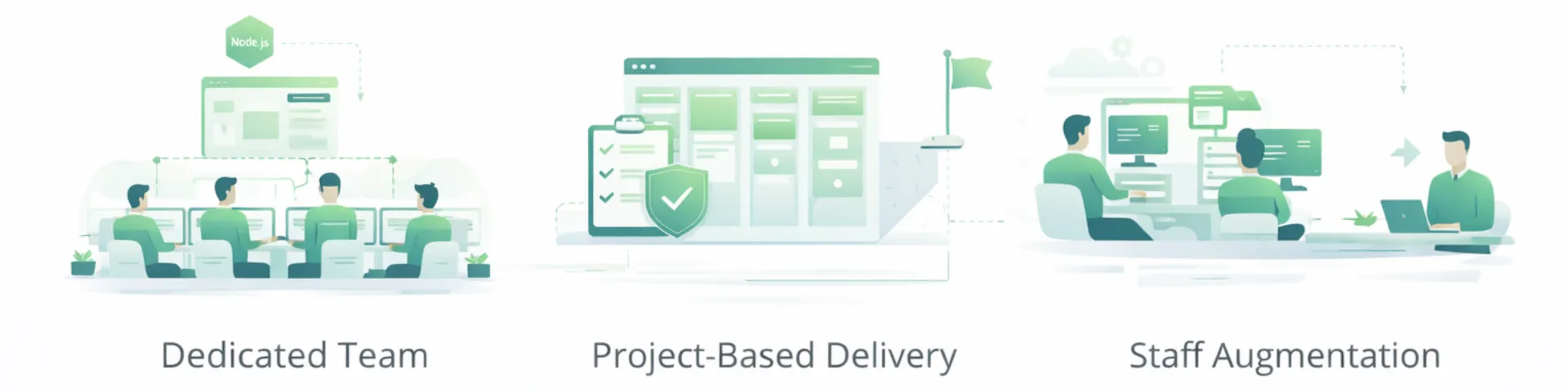
When should I hire a Node JS developer vs. a Node JS development company?
Hire a Node JS developer when you have a tightly-scoped project, clear requirements, and internal leadership to guide delivery and code reviews. Hire a Node JS development company when you need discovery, architecture decisions, multiple specialists, or a scalable delivery process for larger builds, integrations, or long-term product development.
What skills should I look for in a Node JS developer?
When hiring a Node JS developer, look for strong proficiency in JavaScript and a deep understanding of asynchronous programming. A skilled Node JS developer should have experience with frameworks like Express, be comfortable with databases such as MySQL, and know how to build and consume RESTful APIs. Experience with cloud platforms, testing practices, and application security is also important for senior Node JS developer roles.
How do Node JS development services help build scalable applications?
Node JS development services help build scalable applications by using Node.js’s single-threaded, non-blocking I/O model to support high concurrency with minimal overhead. An experienced Node JS development company can also design microservices architectures when appropriate, so individual services can scale independently as traffic and usage grow.
What types of applications can a Node JS development company build?
A Node JS development company can build real-time applications, data-intensive APIs, streaming services, and modern web platforms. Node.js is also commonly used for systems that need persistent connections and fast event handling, making it a strong option for chat, collaboration tools, live dashboards, and other real-time product experiences.
How much does it cost to hire a Node JS developer or company?
The cost to hire a Node JS developer or a Node JS development company varies by scope, timeline, complexity, and the experience level required. Freelance Node JS developers may have lower hourly rates, while a Node JS development company typically provides more complete delivery support through project management, quality assurance, and a higher level of accountability for timelines and outcomes.
What is the process of working with a Node JS development company?
The process typically starts with discovery to confirm requirements, scope, and technical constraints. Next comes architecture and planning, followed by development in sprints, testing, and deployment. A strong Node JS development company also offers ongoing maintenance and support post-launch to handle updates, performance improvements, and security patches.
Can a Node JS developer build a full-stack application?
Yes. A Node JS developer can build full-stack applications using JavaScript for both backend and frontend, often pairing Node.js with frameworks like React, Angular, or Vue. This can streamline development and make it easier to maintain a consistent development workflow across the product.
How do Node JS development services ensure application security?
Node JS development services typically support security through layered controls, including secure authentication and authorization, input validation, dependency management, and protection against common vulnerabilities like SQL injection and cross-site scripting (XSS). A professional Node JS development company will also conduct code reviews, security audits, and ongoing monitoring to reduce risk over time.
Why choose a US-based Node JS development company?
A US-based Node JS development company can offer easier collaboration through overlapping working hours, clear communication, and familiarity with US business expectations. Many teams also prefer the added assurance of working with a company that operates under US laws and standards around contracts, data handling, and intellectual property.
Additional Resources
- Official documentation: nodejs.org/docs provides comprehensive API references and guides maintained by the technical steering committee
- Learning platforms: The official js tutorial at nodejs.dev offers interactive lessons; freeCodeCamp and The Odin Project provide structured curricula
- Community forums: Node.js Discord, Reddit’s r/node, and Stack Overflow’s node.js tag offer support from experienced developers
- Essential packages: Express for web servers, dotenv for configuration, nodemon for development reloading, and Jest for automated testing
Other Relevant Technologies and Services We Can Provide
Learn more about our Javascript development services and our team here at MOST Programming here.
See our entire technology stack and the technology platforms we can build on for our clients here on our Tech Stack Services page.